
Download FlashGot – Fast, Free, and Secure Batch Downloader for Firefox
Overview
FlashGot is a powerful yet lightweight Firefox (and Thunderbird) extension that transforms the way you handle large‑scale downloads. Designed for power users, the add‑on automatically detects every downloadable link on a web page—from direct files to redirected services such as Rapidshare, Megaupload, and ZShare—and passes them to your preferred download manager with a single click. Because FlashGot works as a bridge between Firefox and over 30 popular download managers (including IDM, DAP, and Free Download Manager), you never have to abandon the tools you already trust.
The extension is completely free, open‑source, and regularly updated to stay compatible with the latest Firefox releases. Its intuitive interface lives inside the browser’s context menu, offering a clean “Send to …” submenu where you can select the manager, define batch‑download options, or even create custom actions. Whether you’re a developer pulling libraries, a student collecting research PDFs, or a media enthusiast grabbing entire album folders, FlashGot streamlines the process, eliminates repetitive “Save As” dialogs, and saves valuable time.
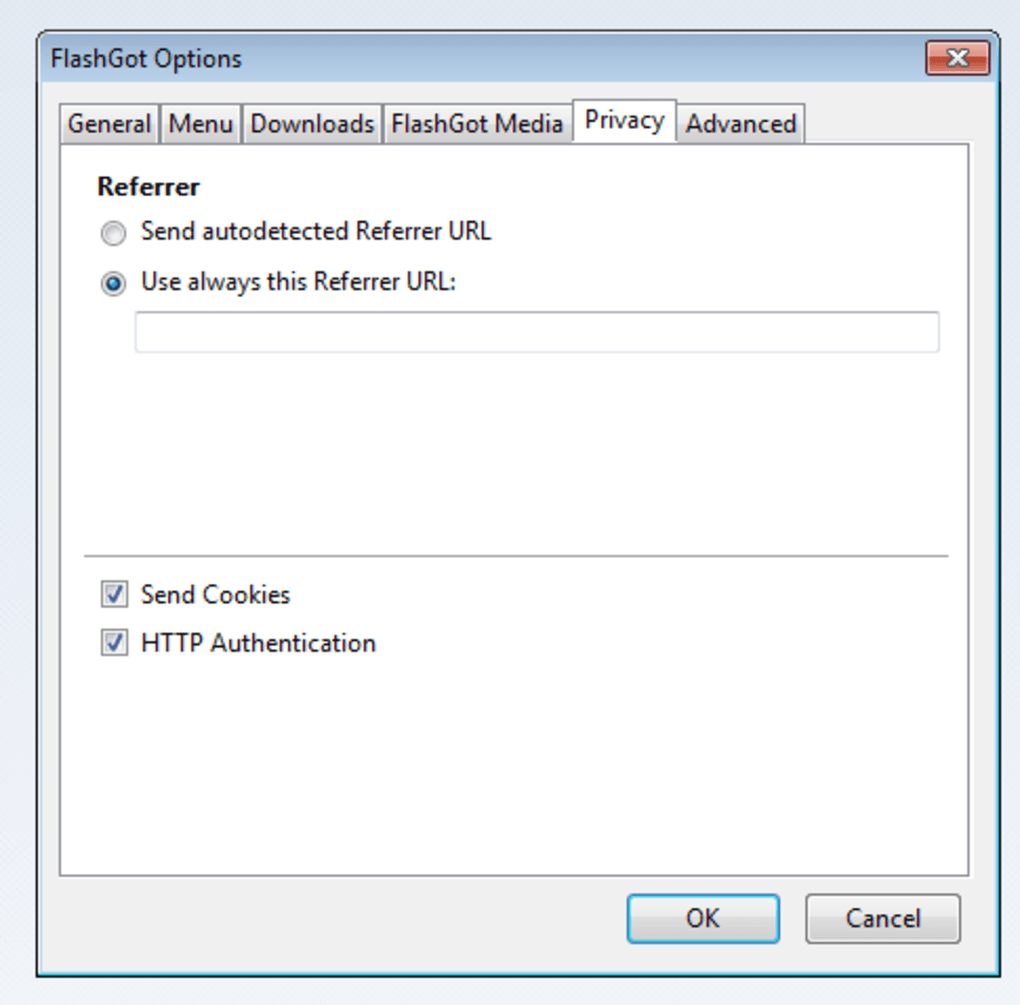
The add‑on also respects privacy—no personal data is sent to external servers, and all operations remain on your local machine, ensuring a secure downloading experience.
Key Features
- Broad Manager Support: Compatible with more than 30 download managers, including Internet Download Manager (IDM), DownThemAll! (DAP), Free Download Manager, and many others.
- Batch Link Detection: Scans the entire page for direct and indirect links, even on file‑hosting services that use redirects or captchas.
- Customizable Actions: Choose what happens when you click a link—send to a manager, open in a new tab, or copy URL to clipboard.
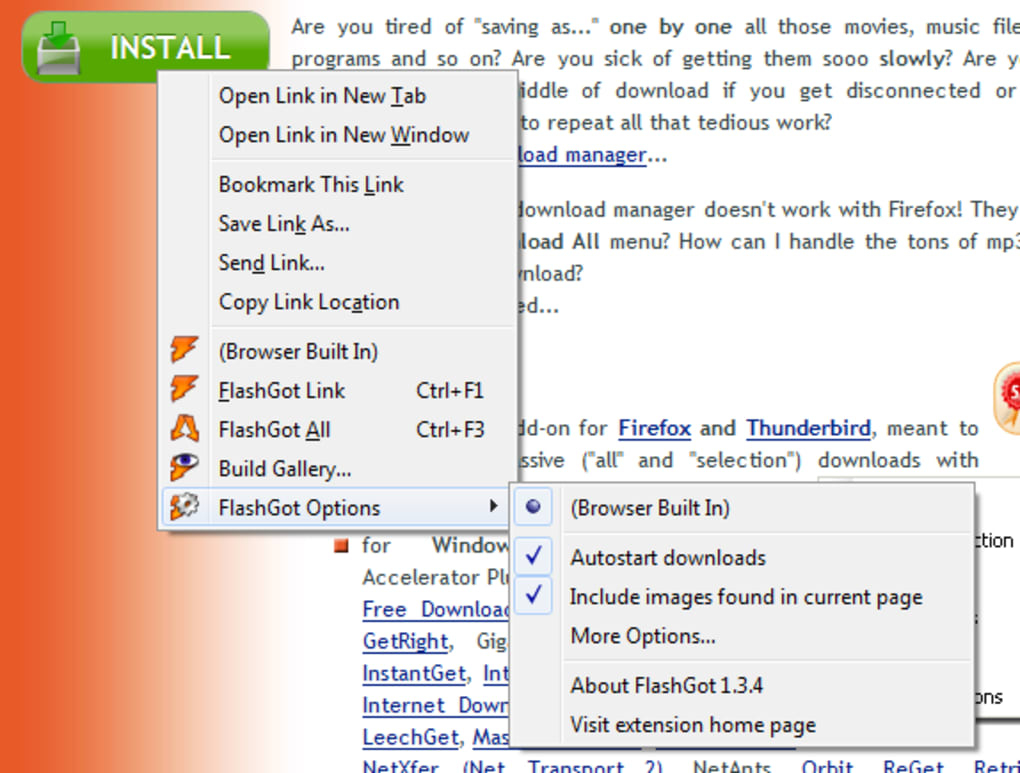
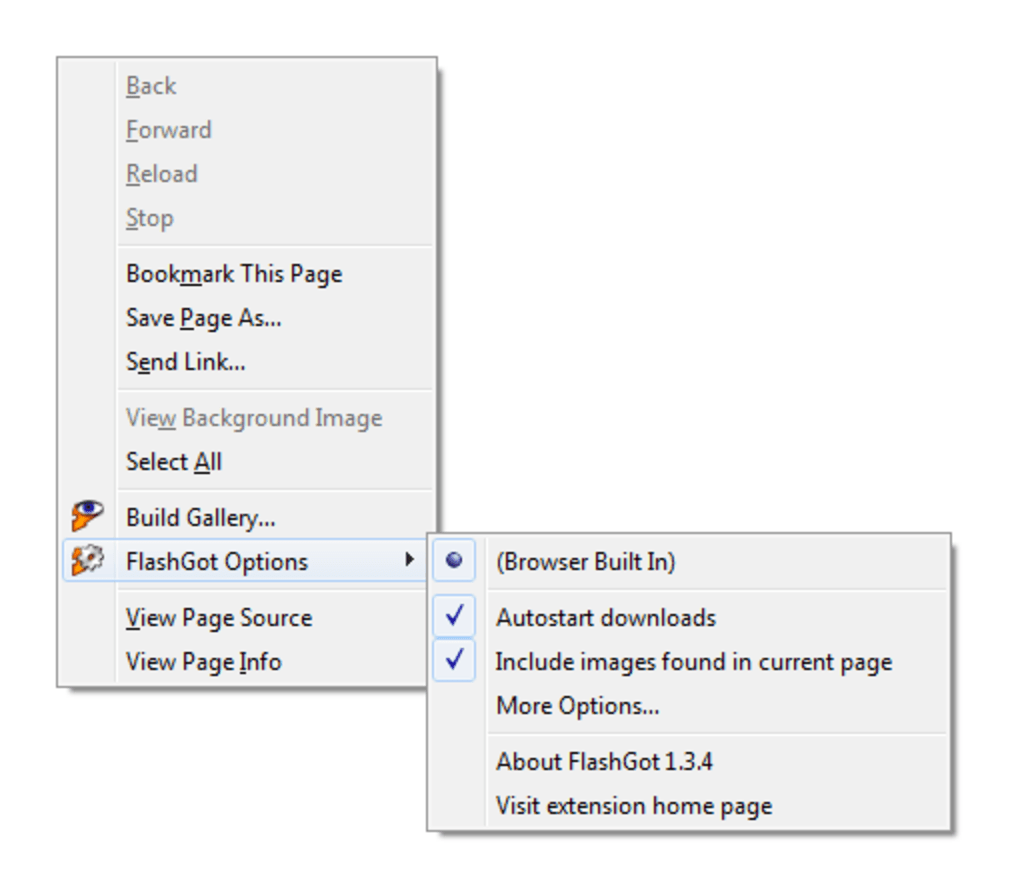
- Context‑Menu Integration: Access FlashGot options directly from the right‑click menu for fast, on‑the‑fly downloads.
- Lightweight & Secure: No background services; all processing stays within Firefox, preserving system resources and privacy.
- Multi‑Platform Compatibility: Works on Windows, macOS, Linux, and can be used with Thunderbird for email attachments.
- Free Updates: Regular releases fix bugs, improve performance, and add support for new download managers without any cost.
- Advanced Filtering: Define file‑type filters (e.g., .zip, .pdf) to automatically include or exclude certain downloads.
- Download Queue Management: Combine multiple links into a single queue that your manager can prioritize or schedule.
- Internationalization: Interface available in several languages, making it accessible to a global audience.
Installation & Usage Instructions
Getting FlashGot up and running is straightforward. First, open Firefox and navigate to the official Mozilla Add‑ons page for FlashGot. Click the “Add to Firefox” button, then confirm the installation prompt.
After the extension is added, you’ll notice a new “FlashGot” entry in the right‑click context menu. To configure the add‑on, go to Tools → Add‑ons → Extensions → FlashGot → Preferences. Here you can select your default download manager from the drop‑down list, set the maximum number of simultaneous downloads, and adjust the file‑type filters.
If you use multiple managers, you can create custom profiles for each, assigning them to specific domains or file types.
When you browse a page containing downloadable files, simply right‑click anywhere on the page and choose FlashGot → Send all links to [Your Manager]. The extension will instantly gather every link, display a preview list, and hand the collection over to the chosen manager, which will then start the download queue. For more granular control, you can select “Send selected links” to pick only the items you need.
FlashGot also offers a toolbar button (optional) that provides one‑click access to the most common actions. After the initial setup, the workflow becomes virtually hands‑free: open a page, right‑click, send to manager, and let the manager handle the rest. The add‑on logs each batch operation in a small status window, allowing you to verify that all links were captured correctly.
Should any link fail, FlashGot presents a clear error message and an option to retry, ensuring you never lose a file due to a missed URL.
Compatibility
Supported Operating Systems
- Windows 10/11 (32‑bit & 64‑bit)
- macOS 10.13 and newer
- Linux distributions with Firefox (Ubuntu, Fedora, Debian, etc.)
- Thunderbird (for handling email attachments)
FlashGot is built specifically for the Firefox quantum engine (Firefox 57+), but legacy versions of the add‑on are still available for ESR releases. Because the extension runs inside the browser sandbox, it does not depend on external libraries, making it highly portable across platforms. Users who switch between operating systems can retain the same configuration by exporting the FlashGot preferences file (found in the Firefox profile folder) and importing it on the new system. This cross‑platform flexibility ensures that whether you are on a Windows desktop, a macOS laptop, or a Linux workstation, FlashGot will integrate seamlessly with your existing download workflow.
Pros and Cons
Pros
- Free and open‑source – no hidden fees or premium tiers.
- Supports a vast array of download managers, allowing you to keep your favorite tools.
- Highly customizable context menu and action profiles.
- Lightweight, with minimal impact on system performance.
- Regular updates that address compatibility and security concerns.
- Excellent for batch downloads, saving time on repetitive “Save As” actions.
- Works on multiple operating systems and with Thunderbird.
- Transparent error handling and retry options.
Cons
- Requires a compatible download manager; functionality is limited if none are installed.
- Interface may feel dated compared to newer Firefox extensions.
- Occasional false positives on pages with dynamic JavaScript links.
- Not available for browsers other than Firefox and Thunderbird.
- Advanced filtering can be confusing for beginners without prior experience.
Frequently Asked Questions
Is FlashGot still maintained and compatible with the latest Firefox versions?
Yes. The development team releases regular updates to ensure compatibility with the newest Firefox releases. Users are encouraged to enable automatic updates via the Firefox Add‑ons manager.
Can I use FlashGot with a download manager that is not listed in the default options?
Absolutely. FlashGot allows you to add custom managers by defining the executable path and command‑line parameters in the preferences panel. This flexibility lets you integrate virtually any CLI‑compatible downloader.
Does FlashGot collect any personal data or send URLs to external servers?
No. All link detection and processing happen locally within Firefox. The extension does not transmit any data to third‑party services, ensuring a secure and private downloading experience.
How does FlashGot handle password‑protected or captcha‑protected download links?
For password‑protected files, FlashGot passes the URL to your download manager, which then prompts you for credentials. Captcha‑protected links usually require manual interaction; however, the extension can still capture the base URL, allowing you to complete the captcha step within the manager.
Is there a way to limit the number of simultaneous downloads?
Yes. In the FlashGot preferences you can set a maximum concurrent download count. This limit is then enforced by the selected download manager, preventing bandwidth saturation.
Conclusion & Call to Action
FlashGot remains one of the most versatile Firefox extensions for anyone who regularly handles batch downloads. Its free, open‑source nature, combined with support for a wide range of download managers, makes it a valuable addition to any power‑user’s toolkit. While the UI may feel a bit classic, the functionality outweighs the aesthetics, especially for users who prioritize speed, security, and customization. If you’re looking to eliminate repetitive “Save As” clicks, automate link collection, and keep full control over where your files go, FlashGot is the ideal solution. Download FlashGot today, configure your favorite manager, and start downloading smarter—not harder.







